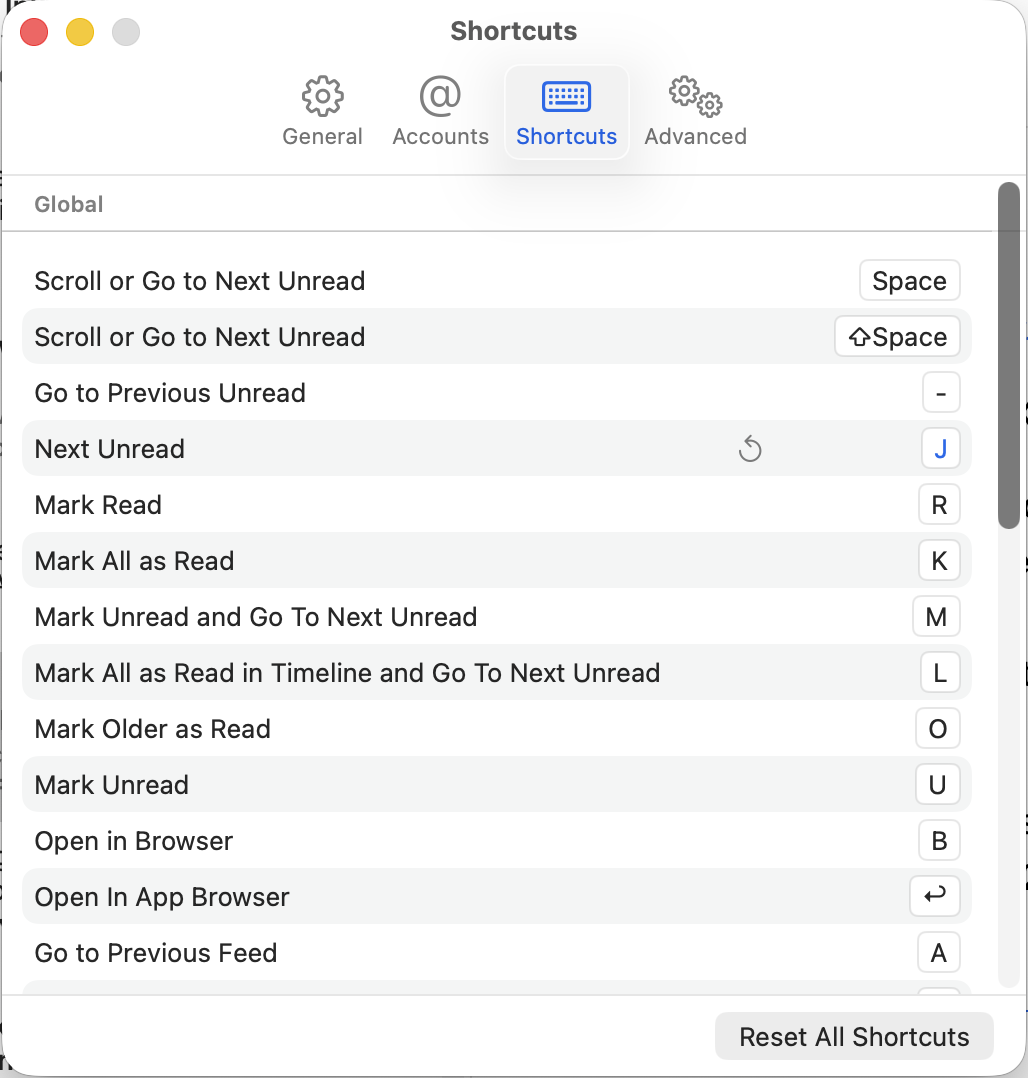
I know that this was discussed as a potential future feature in the slack channel a long, long time ago. I’d like to see a user-customization option for keyboard shortcuts in settings allowing users to see what the shortcut keys are set to and to change them.
I asked Claude Code to do it for the macOS code and it came up with working code that builds. There is also an option to reset to defaults.
Firstly, is there any interest in using code that is AI generated for this project? And Secondly, is this a feature that is still ever requested or up for consideration?
New files (5 files in Mac/Preferences/Shortcuts/) +413 line of code
Modified files (keyboard handlers, preferences window, Assets, Keyboard.swift) +87 added / −36 deleted
Claude made five new files which make up the bulk (~90%) of the changes — KeyboardShortcutsManager.swift (the core logic), ShortcutsPreferencesView.swift (the UI), plus ShortcutEntry, ShortcutContext, and the view controller. The 36 deleted lines are mostly the old hardcoded shortcut sets in the four keyboard handler files that were replaced by calls to the manager.
If there is any interest in this code, what would be the next steps?
I realize working on the code first was out of order but I wanted a small proof-of-concept that it’s possible at my skill level with Claude’s help.
So after one receives permission for their pull-request, I have a question about swift-ui for the new tab in the preferences/settings panel. I’m much more familiar with swiftUI but I see that it is a mismatch with the way the rest of the settings have been coded. So, is it allowed or should new panes/tabs also be built as a storyboard scene with an NSTableView?
Also, where do questions like this belong, GitHub, here, or somewhere else?
If you want to contribute — which I encourage! I love getting help — the best thing is to look at the current and upcoming milestones and pick something that you’d like to work on. Add a comment to the issue or bring it up in the Work channel.